MPModelPixLab
3 free images Make your first image nowNew accounts get 3 free images · No credit card required. Start creating →
GPT Image 2.5 · Now in browser

Make images
at the speed of
thought.

GPT Image 2.5 Generator · Free AI Image Creator Online

OpenAI's newest image model, rebuilt as a proper creative workspace. Describe it, sketch it, edit it — and keep every detail that matters.

Fastfaster
4Kmax output
3free images
CreatorFlare + Sunburst
Try a starting point
FormatPNG
Your uploaded sketch preview Sketch-to-image: draw the layout, the model finishes it.
CanvasFlare · 4K · PNG Download ↓
Your image will appear here

Press Generate — most images finish in seconds.

Generating with Flare…
AI generated result
Flare · 4K · PNG 3 free images Sketch → Image Multi-round edit

Made with GPT Image 2.5

Example outputs

Real sample outputs with the exact prompts that made them. Tap “Use this prompt” to try one yourself.
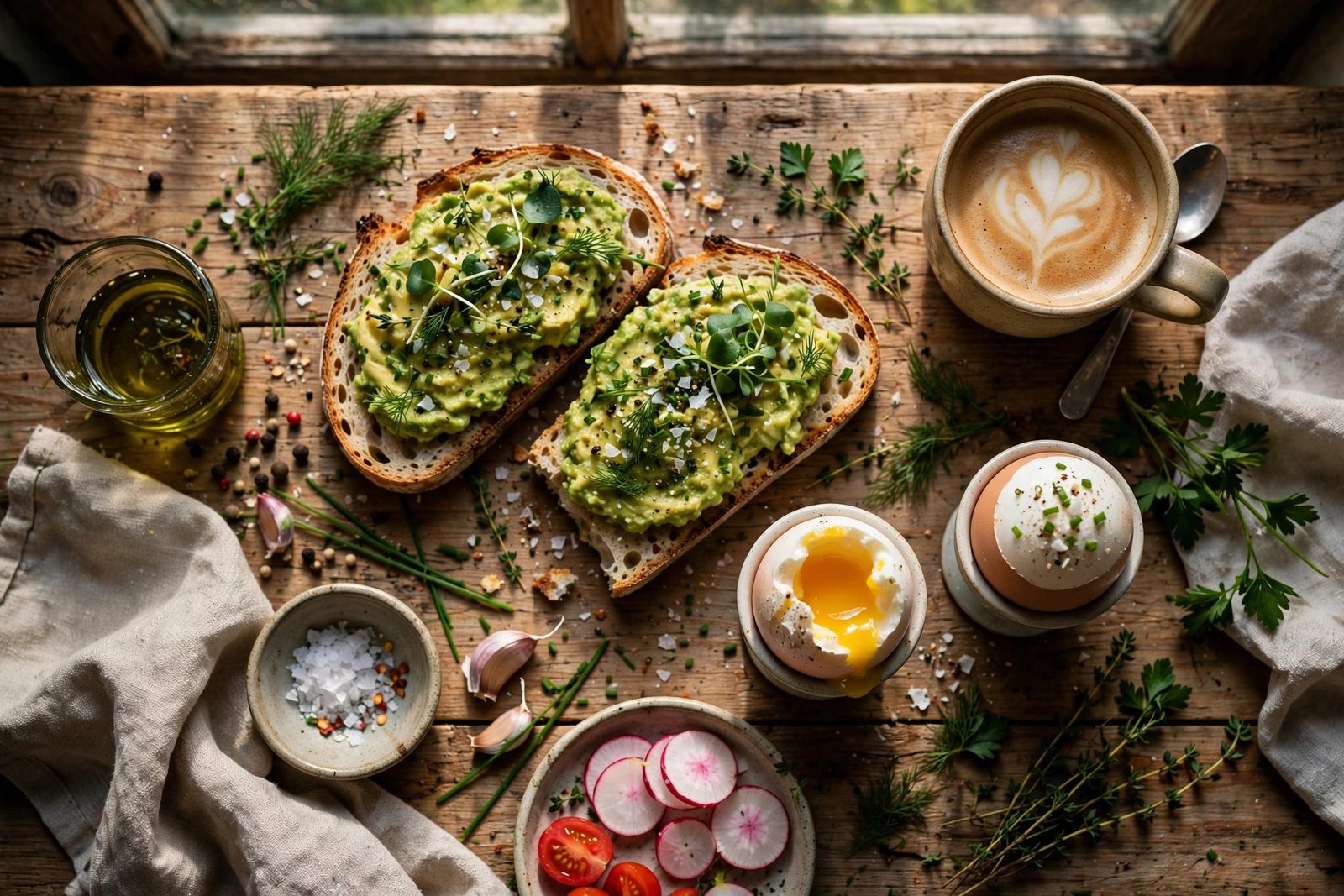
Overhead flat lay of a rustic breakfast table with toast, eggs and coffee
“Overhead flat lay of a rustic breakfast table, sourdough toast, eggs and coffee, natural window light”
Sunburst · 4K

How it works

Three steps to your image

Sign in free — 3 images on us. Describe, choose, download.

STEP 01

Describe — or sketch

Type a prompt, or draw a rough sketch and let the model finish it.

STEP 02

Pick your model

Flare for speed, Sunburst when every detail matters.

STEP 03

Download in up to 4K

PNG, JPEG or WebP, ready to use anywhere.

Flare vs Sunburst

Which model should you pick?

Same prompt, two engines. Flare gets you drafts fast; Sunburst takes longer and protects every detail.

For speed

Flare

Everyday generation, quick drafts, lots of variations.

  • Best forDrafts & variations
  • Speed~2× previous gen
  • Max size4K · 3840×2160
  • EditingFresh variations
For precision

Sunburst

Precision work, editing real photos, product images.

  • Best forReal photos & products
  • SpeedSlower, quality first
  • Max size4K · 3840×2160
  • EditingKeeps faces & details

Why GPT Image 2.5

Built for people who ship pictures

01

Fast generation

Shorter waits, more iterations, better final picks.

02

Sketch to image

Draw the layout, describe the style, get the finished picture.

03

Edits that stick

Change one thing, keep everything else. Multi-round editing preserves faces, products and details.

04

Up to 4K

Crisp output for print, posters and product pages.

Use cases

What people make with it

Product photos

Studio-grade shots for your store, no camera needed.

Social posts

Scroll-stopping images for posts and ads.

Posters & templates

Start from a template, finish in your style.

Avatars & characters

Consistent characters across every scene.

FAQ

Questions, answered

What is GPT Image 2.5?
GPT Image 2.5 is OpenAI's image model released in September 2026. It comes in two versions — Flare for fast everyday generation and Sunburst for precision editing — and adds sketch-guided generation, templates, and multi-round editing that preserves details.
Is this GPT Image 2.5 generator free?
Yes. New accounts get 3 free images to try the tools, right in your browser. After that, paid plans add monthly credits and one-time credit packs never expire.
Which model should I choose, Flare or Sunburst?
Choose Flare when you want quick drafts and lots of variations. Choose Sunburst when you are editing a real photo or product image and details must stay exactly right.
Can it edit my existing photo?
Yes. Upload a photo and describe the change. GPT Image 2.5 is built to change only what you ask for while keeping faces, products and backgrounds intact across multiple edits.
What resolution can I download?
Up to 4K (3840×2160) in PNG, JPEG or WebP format.
Do I need an OpenAI or ChatGPT account?
No. This tool runs right in your browser — no OpenAI account, no ChatGPT subscription.